Backtest
The Backtest worker calculates a portfolio performance in a given date range and returns a time series that represents its performance. You can set the specific date range which the worker will use to calculate the portfolio performance.
Parameters
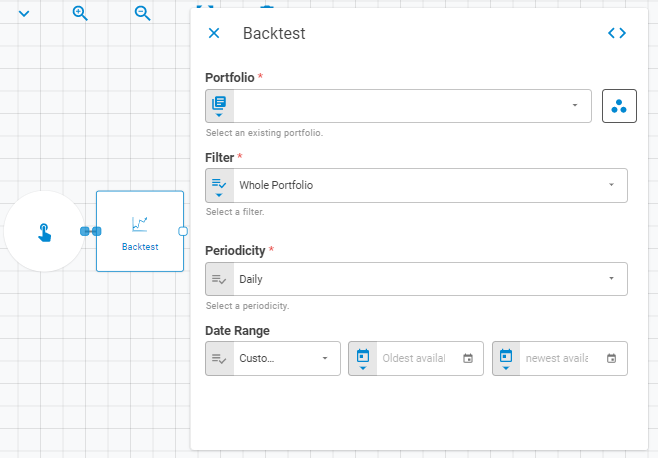
The Backtest worker must receive specific parameters in order to execute properly. When parameters are not set correctly it may cause the worker to not work as expected.
Portfolio
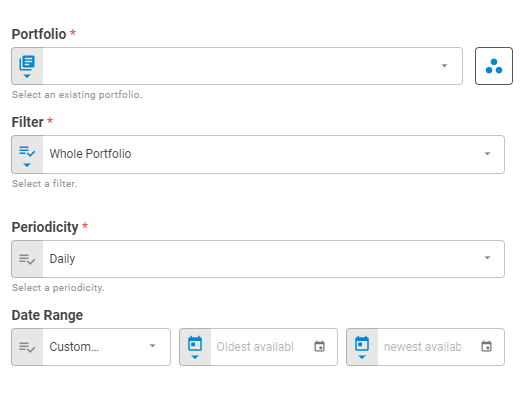
Select an existing portfolio using Fixed Portfolio, Get Latest or Upstream Data variants.
Filter
Select a filter type to be applied in the calculation based on portfolio content using Fixed Value or Upstream Data variants. The filter options are: Whole Portfolio, Longs, Shorts, Domestic, Foreign, Not Options, Options, Not Fixed Income, Fixed Income, Not Equity and Equity.
Periodicity
Select the periodicity to be used inside the calculation using Fixed Value or Upstream Data variants. The periodicity options are: Daily, Weekly, Monthly.
Date Range
Select the Date Range to be applied in the Backtest calculation using Fixed Value. The Date Range can be set as a Custom Range, Last N Periods, Period to Date(Start) and Period to Date(False).
Result
Once this worker finishes to execute successfully, it will return an object containing the expression's result to the workflow, which can be used by downstream workers. Below you can see an example of the Backtest's result object hierarchy. You can check the Output Types article to learn more about result objects types.
- Result (list)
- Date (date)
- Value (number)