Datastore Tracking Error
The Datastore Tracking Error worker calculates the divergence between the price behavior of a position or a portfolio and the price behavior of a benchmark. This is often in the context of a hedge fund, mutual fund, or exchange-traded fund (ETF) that did not work as effectively as intended, creating an unexpected profit or loss.
Parameters
The Datastore Tracking Error worker must receive specific parameters in order to execute properly. When parameters are not set correctly it may cause the worker to not work as expected. This worker's parameters are separated in the following tabs: Input, Output and Advanced.
Input
The Input tab contains parameters which are consumed by the worker, in order to execute its calculations.
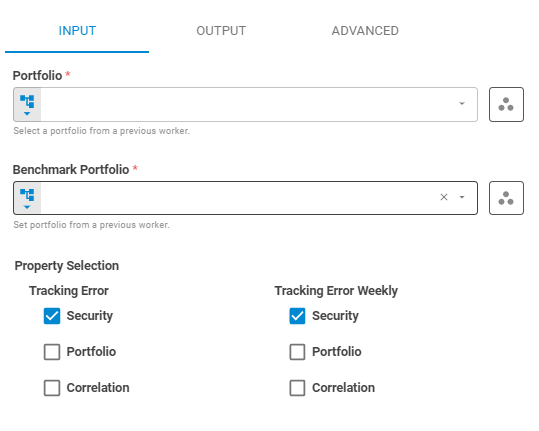
Portfolio
Set the target portfolio using Fixed Portfolio, Get Latest or Upstream Data variants.
Workspace
Set the research workspace of the portfolio using Fixed Workspace variant. The default is using the current workspace.
Benchmark Portfolio
Set the portfolio that is going to be used as a benchmark to calculate the deviation of differences using Fixed Portfolio, Get Latest or Upstream Data variants.
Benchmark Workspace
Set the research workspace of the benchmark portfolio using Fixed Workspace variant. The default is using the current workspace.
Property Selection
The property selection section contains the properties that will be included in the datastore.
Tracking Error
Select whether the Tracking Error will be calculated or not using Boolean variants. The calculation returns options which can be chosen from the following items: Security, Portfolio and Correlation.
Tracking Error Weekly
Select whether the Tracking Error Weekly will be calculated or not using Boolean variants. The calculation returns options which can be chosen from the following items: Security, Portfolio and Correlation.
Output
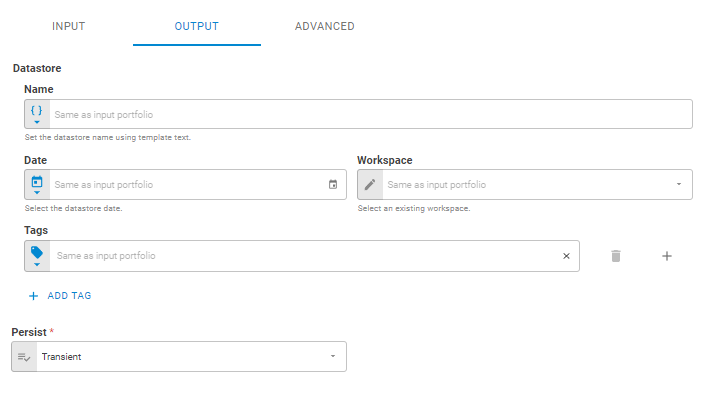
The Output tab contains parameters that defines the worker execution results, and how it will be provided to downstream workers. If you do not inform a name, date, workspace or tags for the result datastore, this information will be taken by the input portfolio.
Name
Set the output datastore name using Template Text or Upstream Data variants. Default setting is the name of the input portfolio.
Date
Set the output datastore date using Fixed Date or Upstream Data variants. Default setting is the date of the input portfolio.
Workspace
Set the workspace in which the output datastore will be saved on the platform using Fixed Workspace. Default setting is the workspace of the input portfolio.
Tags
Set the output datastore tags using Fixed Tags or Upstream Data variants. Default setting is the tags of the input portfolio.
Persist
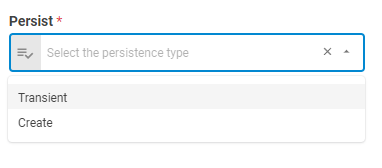
Select if the output datastore will be saved on the platform or be a transient one (temporary during workflow execution), through the following options: Transient or Create. The default is a transient datastore.
Advanced
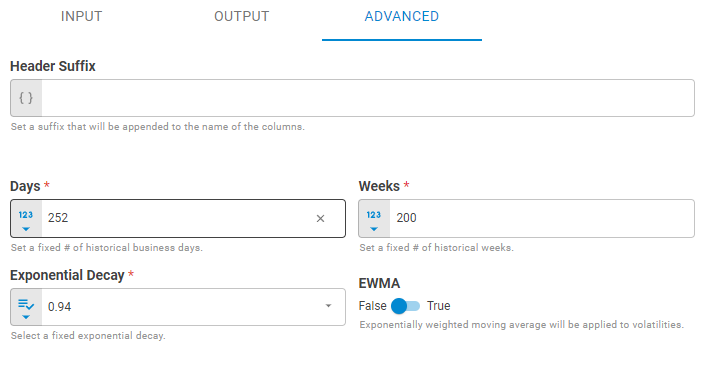
The Advanced tab contains the header suffix and the set of parameters that will be used in the calculations.
Header Suffix
Set the header suffix that will be added to the end of specific columns in the datastore using Template Text or Upstream Data variants.
Days
Number of historical business days used in calculation using Number variants, the default is 252.
Weeks
Number of historical weeks used in calculation using Number variants, the default is 200.
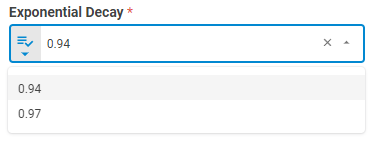
Exponential Decay
Weighting factor determining the rate at which "older" data enter into the calculation of the EWMA. This parameter is only used when EWMA is True, the default is 0.94.
EWMA
Set EWMA using Boolean variants, if True, the exponentially weighted moving average will be applied to calculation, the default is False.
Result
Once the worker finishes its executions successfully, it will return a result object containing the datastore to the workflow, which can be used by downstream workers. Below you can see an example of the datastore result object hierarchy.
- Datastore (datastore)
- ID (string)
- Name (string)
- Date (date)
- Tags (list of strings)
- Data (list of lists)
The Data component is composed of the columns common to all datastores, attributes and aggregations, including the selected properties columns. The possible columns added to the datastore are listed below.
- "port_te"
- "sec_te"
- "port_corr"
- "port_te_weekly"
- "sec_te_weekly"
- "port_corr_weekly"