Custom Datastore
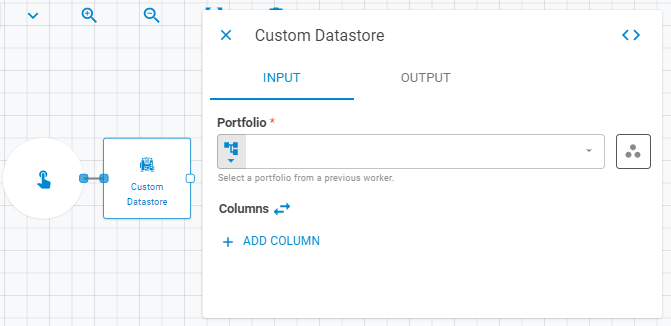
The Custom Datastore worker receives a portfolio and converts it to a datastore, allowing the user to add customized columns besides the columns generated based on the portfolio's securities properties.
Parameters
The Custom Datastore worker must receive specific parameters in order to execute properly. When parameters are not set correctly it may cause the worker to not work as expected. This worker's parameters are separated in the following tabs: Input and Advanced.
Input
The Input tab contains parameters which are consumed by the worker, in order to execute its calculations or actions.
Portfolio
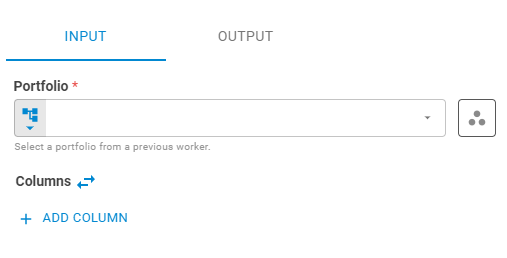
Select the portfolio to be used using Fixed Portfolio, Get Latest or Upstream Data variants.
Columns
The columns field has two types of operations controlled by an expand icon:
Not Expanded
It is used when you want to create columns using a list of lists from upstream workers. Creating a column this way, the Custom Datastore will recognize the list on index 0 as the column header, and the other lists as the values for the column. The column length must be equal to the securities length.

Expanded
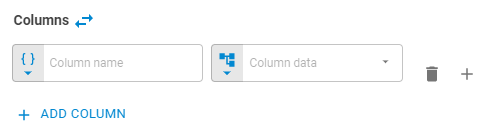
When you want to create static columns you can click in the expand icon e more options will appear. Click on the Add Column button to add a column. Then you can define the column's name and the column's value.
Column Name
Set the column name using Template Text or Upstream Data variants.
Column Data
Set the column data using Upstream Data, Fixed String or Fixed Number variants.
Output
The Output tab contains parameters that defines the worker execution results, and how it will be provided to downstream workers.
Name
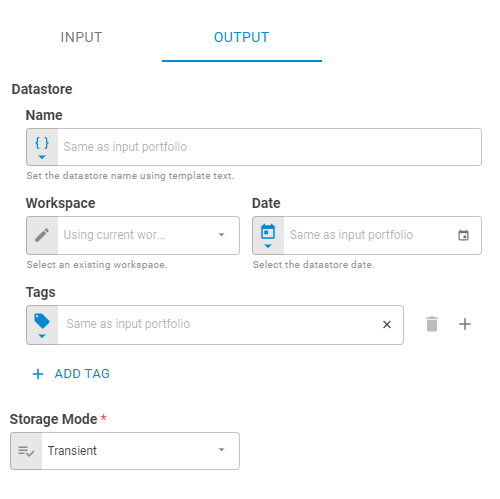
Set the output datastore name using Template Text or Upstream Data variants.
Date
Set the output datastore date using Fixed Date or Upstream Data variants.
Workspace
Set the workspace in which the output datastore will be saved on the platform using Fixed Workspace.
Tags
Set the output datastore tags using Fixed Tags or Upstream Data variants.
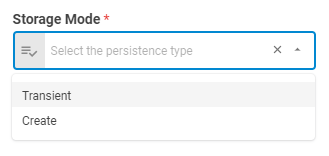
Storage Mode
Select if the output datastore will be saved on the platform or be a transient one (temporary during workflow execution), through the following options: Transient or Create. The default is a transient datastore.
Result
Once the worker finishes its executions successfully, it will return a result object containing the retrieved datastore(s) to the workflow, which can be used by downstream workers. Below you can see an example of the Custom Datastore's result object hierarchy. You can check the Output Types article to learn more about result objects types.
- Datastore (datastore)
- ID (string)
- Name (string)
- Date (date)
- Tags (list)
- Data (list of lists)