Portfolio Merge
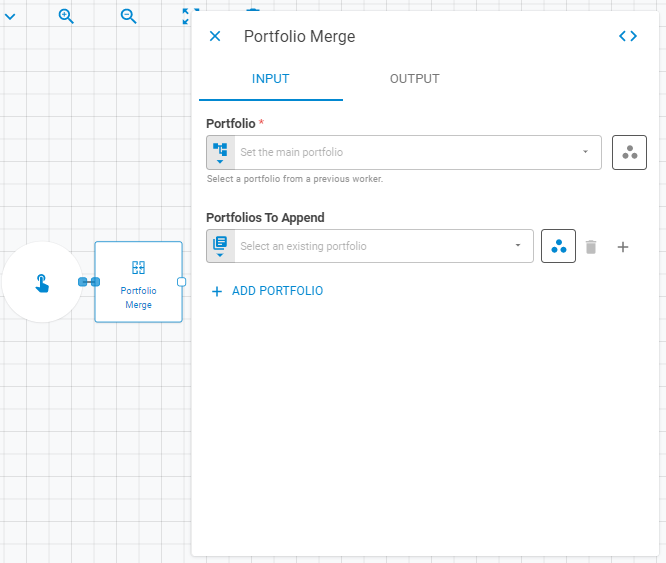
The Portfolio Merge worker appends portfolios to a target portfolio, creating a new merged portfolio from it, which can be saved in the platform, be used on the workflow or simply update the target portfolio. When merging portfolios, if you do not inform a name, date or base currency for the result portfolio, this information will be replaced with the target portfolio's information. The Portfolio Merge worker sums all the portfolio's NLV's if NLV is not informed for the result portfolio.
Parameters
The Portfolio Merge worker must receive specific parameters in order to execute properly. When parameters are not set correctly it may cause the worker to not work as expected. This worker's parameters are separated in the following tabs: Input and Output.
Input
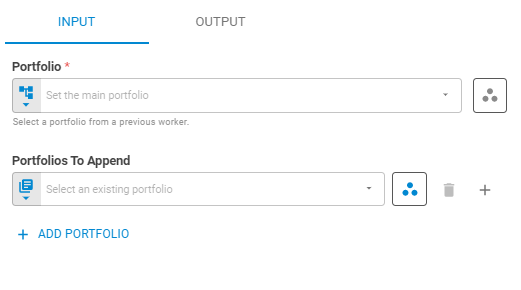
The Input tab contains parameters which are consumed by the worker, in order to execute its calculations or actions.
Portfolio
Set the target portfolio using Fixed Portfolio, Get Latest or Upstream Data variants.
Workspace
Set the target portfolio's workspace using Fixed Workspace variant.
Data Sources
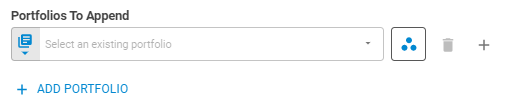
Add new portfolio field by clicking on the Add Source button.
Portfolio
Set the portfolio data source using Fixed Portfolio, Get Latest or Upstream Data variants.
Workspace
Set the research workspace of the data source portfolio using Fixed Workspace variant.
Output
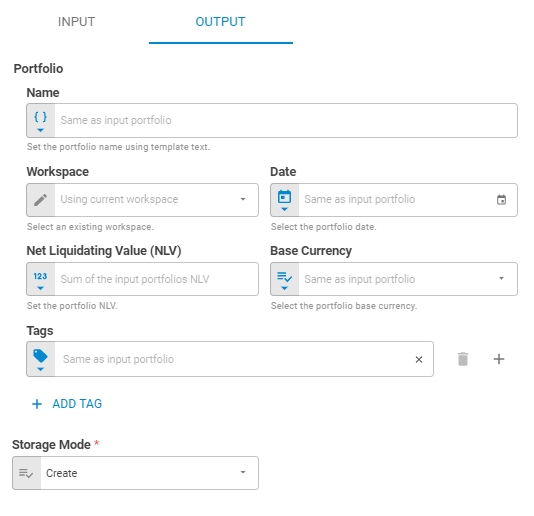
The Output tab contains parameters that defines the worker execution results, and how it will be provided to downstream workers.
Name
Set the portfolio name using Template Text or Upstream Data variants.
Date
Select the portfolio date using Fixed Date or Upstream Data variants.
Workspace
Set the workspace in which the merged portfolio will be saved on the platform using Fixed Workspace.
Net Liquidating Value (NLV)
Set the portfolio NLV using Numberor Upstream Datavariants.
Base Currency
Select the portfolio base currency using Select or Upstream Datavariants.
Tags
Set the portfolio tags using Fixed Tags or Upstream Data variants.
Append Merge References
Select whether or not the result portfolio's name will have the word "Merged" appended to it or not.
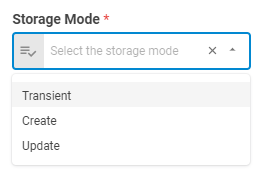
Storage Mode
Select if the result portfolio will be saved on the platform, update an existing portfolio or be a transient one through the following options: Transient, Create or Update.
Result
Once the worker finishes its executions successfully, it will return a result object containing the merged portfolio to the workflow, which can be used by downstream workers. Below you can see an example of the Portfolio Merge's result object hierarchy.
- Portfolio (portfolio)
- ID (string)
- Name (string)
- Tags (list of strings)
- Date (date)
- Base Currency (number)
- NLV (number)
- Securities (list)
- ID (string)
- Status (string)
- Instrument Class (string)
- Symbol (string)
- Label (string)
- Quantity (number)