Datastore Liquidity
The Datastore Liquidity worker calculates liquidity for assets, liabilities and liquidity indexes inside a portfolio.
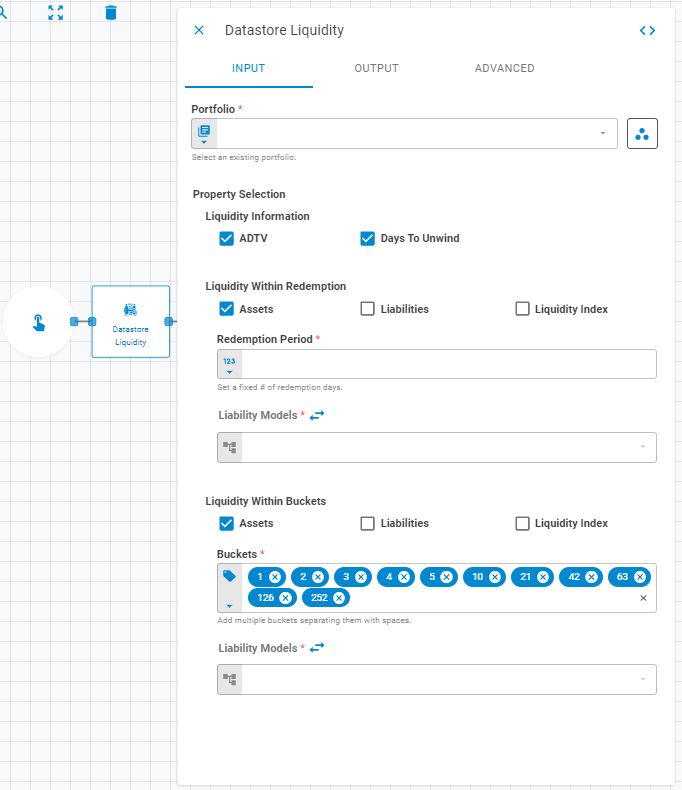
Parameters
The Datastore Liquidity worker must receive specific parameters in order to execute properly. When parameters are not set correctly it may cause the worker to not work as expected. This worker's parameters are separated in the following tabs: Input, Output and Advanced.
Input
The Input tab contains parameters which are consumed by the worker, in order to execute its calculations or actions.
Portfolio
Select the portfolio to be used using Fixed Portfolio, Get Latest or Upstream Data variants.
Property Selection
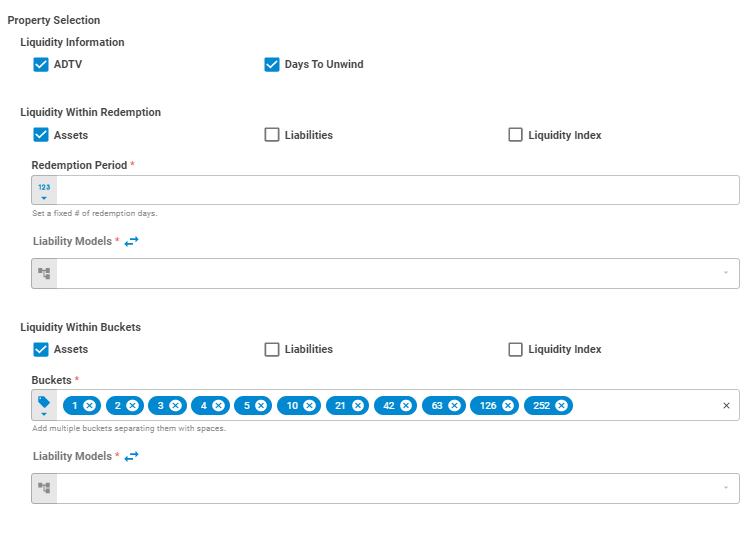
Liquidity Information
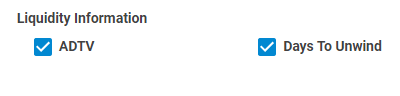
Adds Liquidity Information in the result datastore. When ADTV option is checked a ADTV column is added in the result datastore. When Days To Unwind option is checked a Days To Unwind column is
added in the result datastore.
Liquidity Within Redemption
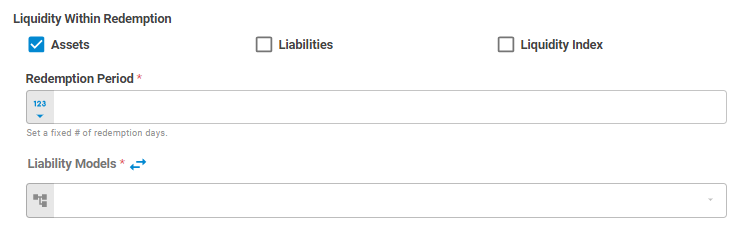
Defines Liquidity Redemption for assets, liabilities and liquidity indexes
Assets
Enables liquidity calculation based on redemption period for assets

Liabilities
Enables liquidity calculation based on liability models for liabilities

Liquidity Index
Enables calculation for liquidity indexes

Redemption Period
Set a fixed number of redemption days using Number or Upstream Data variants.

Liability Models
The liability models field has two types of operations controlled by a swap button: closed swap and open swap. Closed Swap is used when the list of models has already been defined elsewhere (a file, a datastore, etc) and Open Swap exposes fields to enter Liability Models, one by one.
Closed Swap
Liability models can be passed to this worker as lists. This list of liability models can be previously specified in a File or Datastore for example.
In the Closed Swap format (default), only a single field is available to specify a list liability models:

Open Swap
By clicking in the Swap icon, more fields are exposed, enabling users to enter liability models one by one.
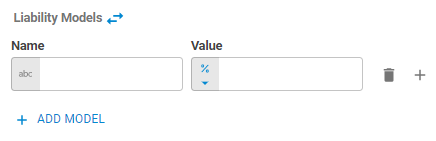
Name
Set the Liability Model name using String variant
Value
Set the Liability Model value using Percent or Upstream Data variants.
Liquidity Within Buckets
Defines liquidity considering periods of time for redemption for assets, liabilities and liquidity indexes.
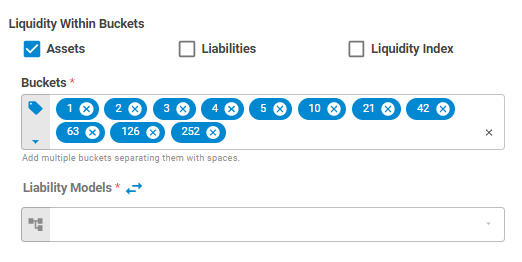
Assets
Enables liquidity calculation based on buckets of redemption days for assets
Liabilities
Enables liquidity calculation based on liability models for liabilities
Liquidity Index
Enables calculation for liquidity indexes
Buckets
Add multiple buckets of redemption periods using Tag or Upstream Data variants.
Liability Models
The liability models field has two types of operations controlled by a swap button: closed swap and open swap. Closed Swap is used when the list of models has already been defined elsewhere (a file, a datastore, etc) and Open Swap exposes fields to enter Liability Models, one by one.
Closed Swap
Liability models can be passed to this worker as lists. This list of liability models can be previously specified in a File or Datastore for example.
In the Closed Swap format (default), only a single field is available to specify a list liability models:
Open Swap
By clicking in the Swap icon, more fields are exposed, enabling users to enter liability models one by one.
Output
The Output tab contains parameters that defines the worker execution results, and how it will be provided to downstream workers.
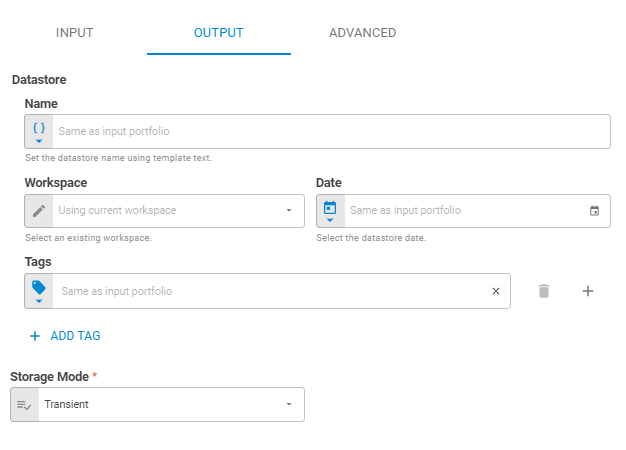
Name
Set the output datastore name using Template Text or Upstream Data variants.
Date
Set the output datastore date using Fixed Date or Upstream Data variants.
Workspace
Set the workspace in which the output datastore will be saved on the platform using Fixed Workspace.
Tags
Set the output datastore tags using Fixed Tags or Upstream Data variants.
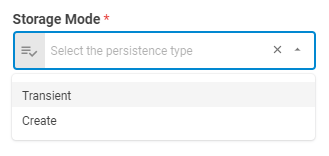
Storage Mode
Select if the output datastore will be saved on the platform or be a transient one (temporary during workflow execution), through the following options: Transient or Create. The default is a transient datastore.
Advanced
The Advanced tab contains parameters that defines advanced configurations inside the worker.
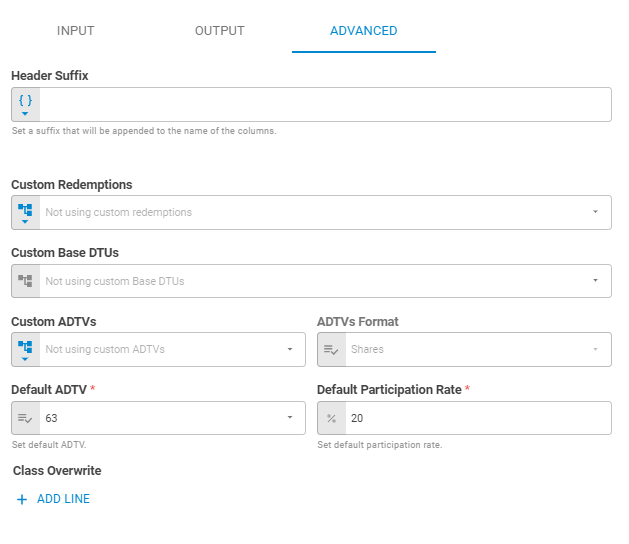
Header Suffix
Set a suffix that will be appended to the name of the columns inside the datastore using Template Text or Upstream Data variants.
Custom Redemptions
Set custom redemptions using Upstream Data, Fixed Datastore or Tag Latest variants.
Custom Base DTUs
Set custom base DTUs using Upstream Data variant.
Custom ADTVs
Set custom ADTVs using Upstream Data, Fixed Datastore or Tag Latest variant.
ADTVs Format
Set the provided custom ADTV's format using Select variant. It may be Shares or Notional.
Default ADTV
Set the default ADTV using Select variant.
Default Participation Rate
Set default participation rate using Percent variant.
Class Overwrite
Sets customized ADTVs and Participation Rates for specific Instrument Class by clicking in the ADD LINEbutton.
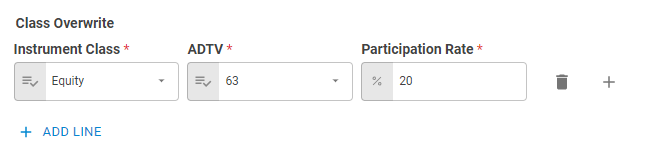
Instrument Class
Select the instrument class which will receive customized ADTVs and Participation Rates using Select variant.
ADTV
Set the custom ADTV for the selected instrument class using Select variant.
Participation Rate
Set the custom Participation Rate for the selected instrument class using Select variant.