Datastore Monte Carlo
The Datastore Monte Carlo worker calculates the contribution to the overall portfolio risk from each security. We use a measure called Marginal Contribution to Total Risk (MCTR), creating a new datastore with the result of the calculations.
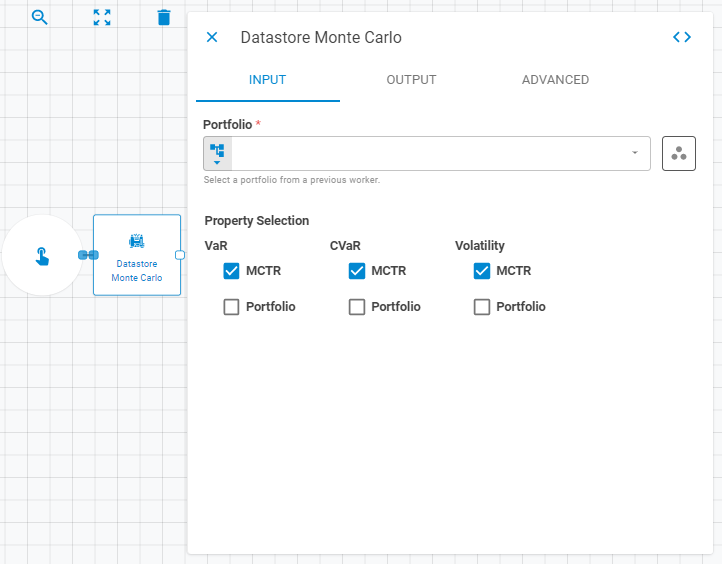
Parameters
The Datastore Monte Carlo worker must receive specific parameters in order to execute properly. When parameters are not set correctly it may cause the worker to not work as expected. This worker's parameters are separated in the following tabs: Input, Output and Advanced.
Input
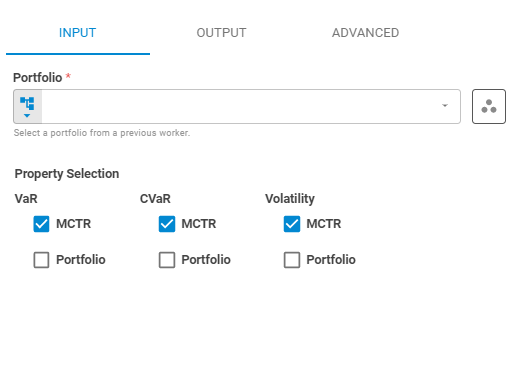
The Input tab contains parameters which are consumed by the worker, in order to execute its calculations.
Portfolio
Set the target portfolio using Fixed Portfolio, Get Latest or Upstream Data variants.
Workspace
Set the research workspace of the portfolio using Fixed Workspace variant. The default is using the current workspace.
Property Selection
The property selection section contains the properties that will be included in the datastore.
VaR
Select whether the VaR will be calculated or not using Boolean variants. The calculation returns options which can be chosen from the following items: MCTR andPortfolio.
CVaR
Select whether the CVaR will be calculated or not using Boolean variants. The calculation returns options which can be chosen from the following items: MCTR andPortfolio.
Volatility
Select whether the volatility will be calculated or not using Boolean variants. The calculation returns options which can be chosen from the following items: MCTR andPortfolio.
Output
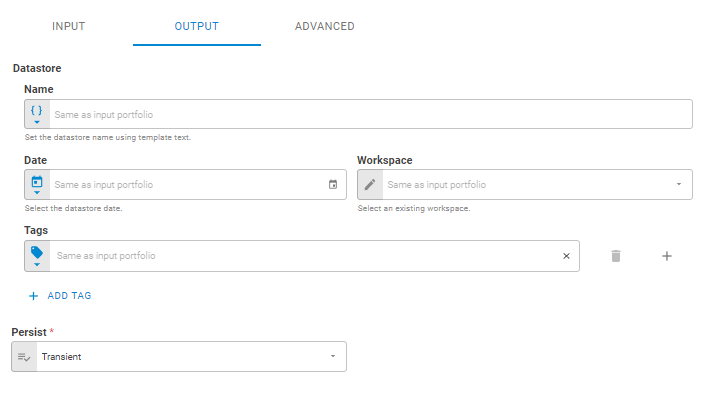
The Output tab contains parameters that defines the worker execution results, and how it will be provided to downstream workers.
Name
Set the output datastore name using Template Text or Upstream Data variants. Default setting is the name of the input portfolio.
Date
Set the output datastore date using Fixed Date or Upstream Data variants. Default setting is the date of the input portfolio.
Workspace
Set the workspace in which the output datastore will be saved on the platform using Fixed Workspace. Default setting is the workspace of the input portfolio.
Tags
Set the output datastore tags using Fixed Tags or Upstream Data variants. Default setting is the tags of the input portfolio.
Persist
Select if the output datastore will be saved on the platform or be a transient one (temporary during workflow execution), through the following options: Transient or Create. The default is a transient datastore.
Advanced
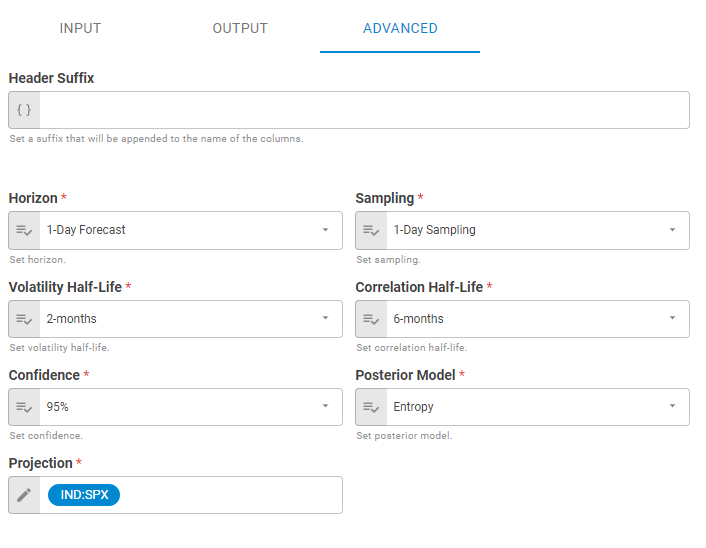
The Advanced tab contains the header suffix and the set of parameters that will be used in the calculations.
Header Suffix
Set the header suffix that will be added to the end of selected properties columns in the datastore using Template Text or Upstream Data variants. The default is not using header suffix.
Horizon
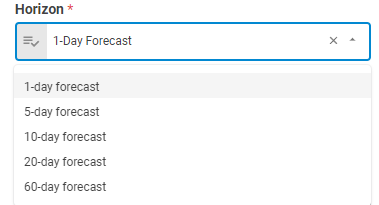
Determines the Horizon for calculation. The horizon parameter produces a range of outcomes for each security via their underlying factors across specific date range, the default is 1-day Forecast. For more information click here.
Sampling
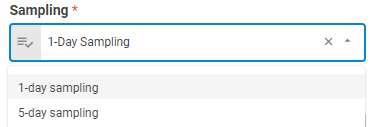
Sampling represents the frequency that historical prices and rates (spreads) are collected in order to compute the invariant risk factors. In order to sample daily, use 1. In order to sample weekly (non-overlapping), pass 5, the default is 1-day sampling. For various combinations between horizon and sampling click here.
Volatility Half-Life
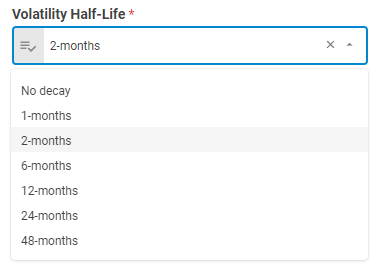
Half life of volatility information in months. The default is 2-months.
Correlation Half-Life
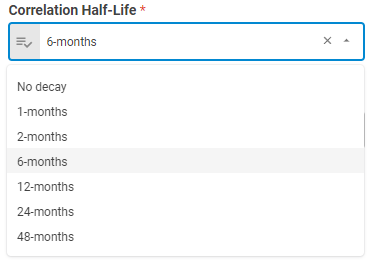
Half life of correlation information in months. The default is 6-months.
Confidence
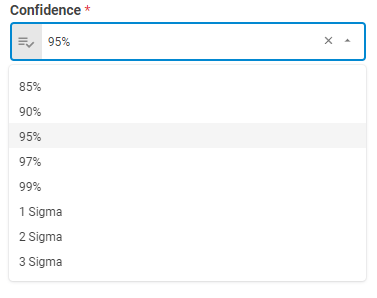
Determines the confidence level for calculation. The confidence interval produces a range of values with a defined probability that the value of a parameter lies within it. For example: if the confidence interval is 95% and the number of simulations is 10,000, we use only the first 5%, or 500 samples. The default is 95%.
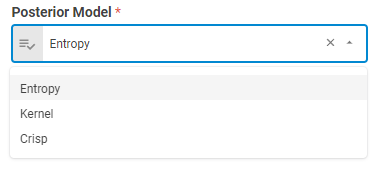
Posterior Model
For more on the Posterior Model, please reference Chapter 10 in the Everysk Risk Methodology White Paper.
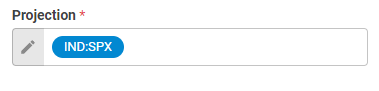
Projection
User supplied array of securities to be used as a top-down factor model. Set the projection using Symbol variant. The default is using IND:SPX.
Result
Once the worker finishes its executions successfully, it will return a result object containing the datastore to the workflow, which can be used by downstream workers. Below you can see an example of the datastore result object hierarchy.
- Datastore (datastore)
- ID (string)
- Name (string)
- Date (date)
- Tags (list of strings)
- Data (list of lists)
The Data component is composed of the columns common to all datastores, attributes and aggregations, including the selected properties columns. The possible columns added to the datastore are listed below.
- "sec_monte_carlo_cvar"
- "port_monte_carlo_cvar"
- "sec_monte_carlo_var"
- "port_monte_carlo_var"
- "sec_monte_carlo_vol"
- "port_monte_carlo_vol"