Split Trades
Often times, trades are executed at the company level and then they are further split into their final portfolios. For example: 100 shares of AAPL purchased so that 70 shares are added to Portfolio A and 30 shares added to portfolio B.
The Split Trades worker is responsible for splitting trades to their appropriate funds using the rules defined by a Assign Portfolio Rules Configuration Datastore (view item 1.3).
The Split Trades worker generates two output datastores: The trades in a Enterprise Level, and the trades processed on a portfolio level (splitted).
Parameters
The Split Trades worker must receive specific parameters in order to execute properly. When parameters are not set correctly it may cause the worker to not work as expected. This worker's parameters are separated in the following tabs: Input and Output.
Input
The Input tab contains parameters which are consumed by the worker, in order to execute its calculations or actions.
Incoming Trades
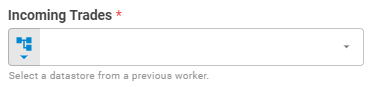
The Incoming Trades field receives the data of operations and transactions carried out by an Enterprise Level. These trades must be properly structured in a datastore, which is usually generated by a trade parser. Set Incoming Trades using Upstream Data, Fixed Datastore or Get Latest variants.
Workspace
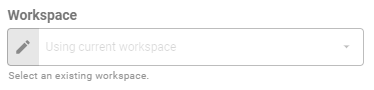
The so-called fields set the research workspace of the Incoming Trades (1.1), Assign Portfolio Rules (1.3), Rules Definition Datastore (1.5), respectively. Set workspace using Fixed Workspace variant.
Assign Portfolio Rules
This field receives a configuration datastore, which serves as a "Lookup Table" to, based on the property set in Assign Portfolio By (1.4), identifies the portfolio assignment rule to be applied. Set the Assign Portfolio Rules using a Upstream Data, Fixed Datastore or Get Latest variants.
The Assign Portfolio Rules datastore is a two-column table, the header must contain the following fields: Property and Rule. Each row corresponds to a property value and must have an associated rule. The table below shows an example of filling. Further instructions available here.
| Property | Rule |
|---|---|
| Trader 1 | Rule A |
| Trader 2 | Rule B |
| Trader 3 | Rule C |

Assign Portfolio By
The Assign Portfolio By field determines the trade property that links the trade to the portfolio assignment rule. Currently, the options available are: Trader and Instrument Class.

Rules Definition Datastore
This field receives a configuration datastore, which serves as a "Lookup Table" to apply the split percentage to the target portfolio (portfolio UID) according to each rule. Set the Split Portfolio Rules using a Upstream Data, Fixed Datastore or Get Latest variants.
The Rules Definition Datastore is a three-column table, the header must contain the following fields: Rule, Portfolio UID and Percentage. Each row corresponds to the percentage of the division destined to the portfolio according to a certain rule and the total sum of a rule must be 1.0; The table below shows an example of filling. Further instructions available on our Datastore Workers here.
| Rule | Portfolio UID | Percentage |
|---|---|---|
| Rule A | portfolio_sample_y | 0.7 |
| Rule A | portfolio_sample_x | 0.3 |
| Rule B | portfolio_sample_y | 0.8 |
| Rule B | portfolio_sample_x | 0.2 |
Output
The Output tab contains parameters that defines the worker execution results, and how it will be provided to downstream workers.
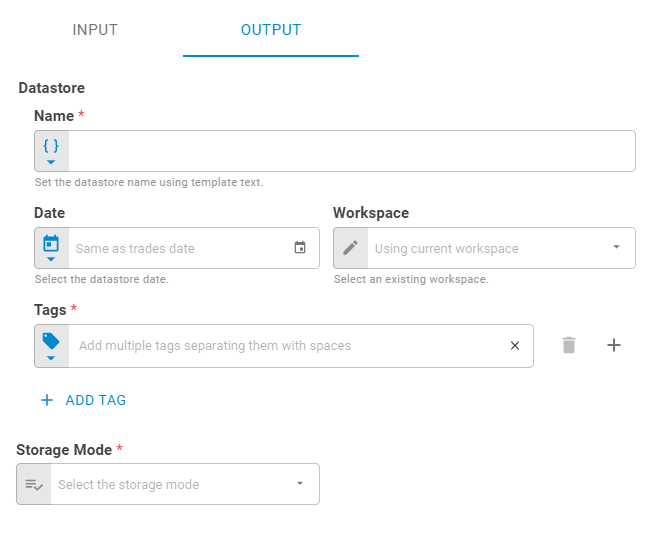
Name
Set the output datastore name using Template Text or Upstream Datavariants.
Date
Select the output datastore date using Fixed Date or Upstream Data variants. By default, the output datastore have the same date of the trades.
Workspace
Set the workspace in which the datastore will be saved on the platform using Fixed Workspace variant.
Tags
Set the output datastore tags using Fixed Tags or Upstream Data variants.
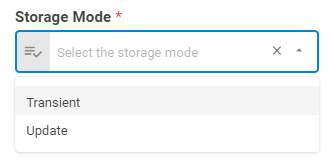
Storage Mode
Select if the result datastore will be saved on the platform, update an existing portfolio or be a transient one through the following options: Transient or Update.
Results
The results of the Split Trades worker, are two datastores: The Enterprise Datastore that contains the information about the trade before the split, and, which rule was applied, and the Splitted Datastore which contains the trades information processed on a portfolio level, already split between the portfolios. Below you can see an example of the Split Trades result object hierarchy. You can check the Output Types article to learn more about result objects types.
- Object (Object)
- Enterprise Datastore (datastore)
- ID (string)
- Name (string)
- Date (date)
- Tags (list)
- Data (list)
- Splitted Datastore (datastore)
- ID (string)
- Name (string)
- Date (date)
- Tags (list)
- Data (list)
Data
The data in the datastore is a table, in which has the at least the following columns: Symbol, Quantity, Cost Price, Instrument Class, Execution Date, Portolio UID, Book, and Portfolio Rule. If additional information related to the trade is sent, such as trader, settlement, or dealer, the worker automatically adds these columns to the datastore data. Each row corresponds to a trade.